
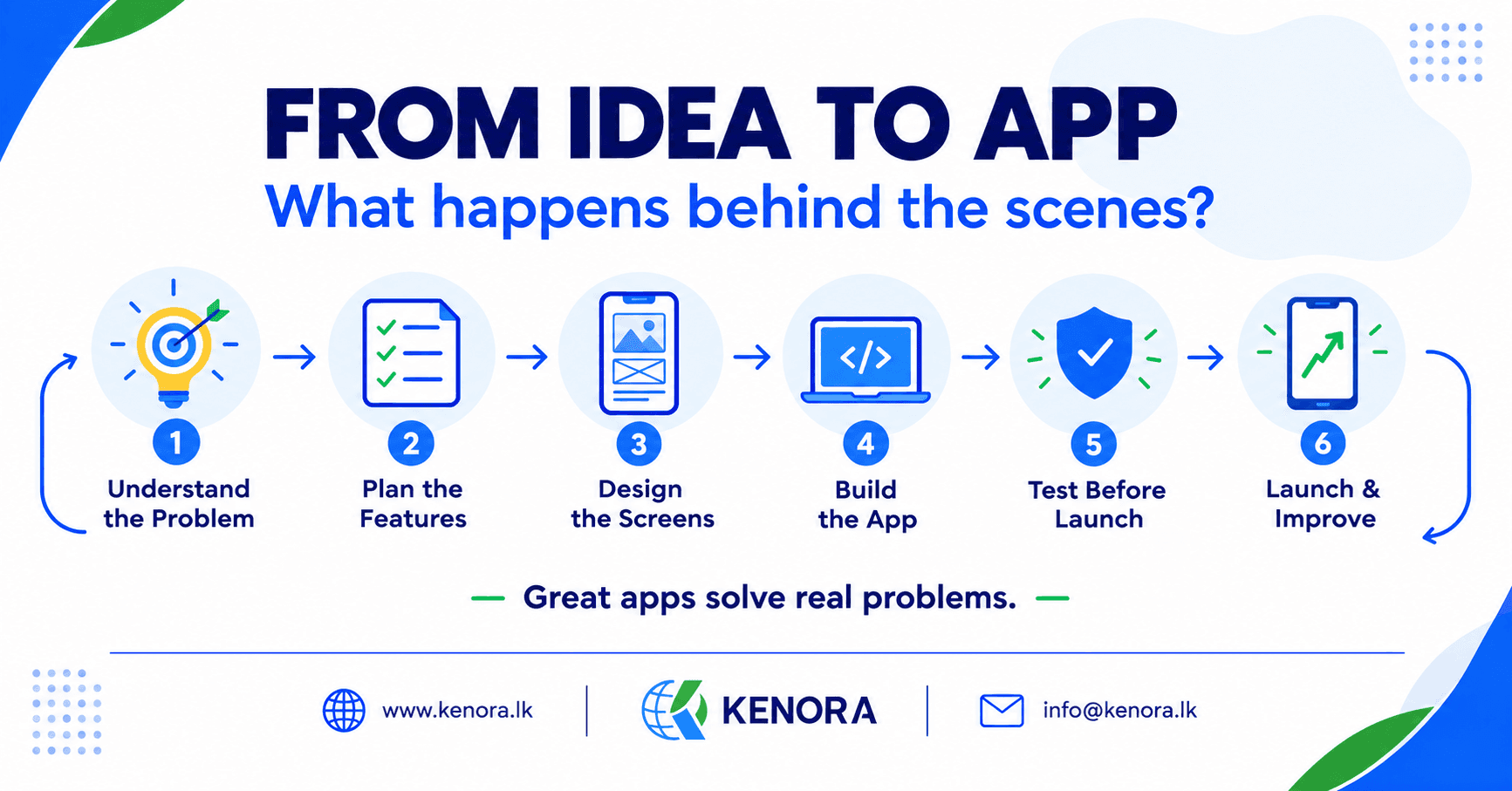
From Idea to App: What Really Happens Behind the Scenes?
Every app starts with an idea. Sometimes it’s a small thing that could fix an everyday problem. Other times, a business just gets tired of doing things the slow way.
Picture a small business that takes bookings by phone and keeps them in a spreadsheet. Every day, the staff spend hours checking free times, updating records, and sending reminders.
Then the owner asks a simple question: “What if customers could do all this from a mobile app?”
Sounds easy, right? Add a few screens, a few buttons, and launch. But a useful app takes much more than that. There’s planning, design, coding, testing, and a lot of quiet work in the background.
So how does a simple idea turn into an app that people really use? Let’s follow our booking app and find out.
1. It Starts With the Problem
Before anyone writes code, the team needs to understand what the app should fix.
For our booking app, that means looking at how the business works today. How do customers book? How does the team keep track? Where do the delays and mistakes come from?
The owner may think the app needs lots of features. But after watching a normal day, the team might find that the real troubles are missed bookings, double bookings, and slow replies.
That changes everything. Instead of adding features that just sound nice, the team can focus on what truly helps customers and staff.
A good app doesn’t start with code. It starts with a clear reason to exist.
2. Turning the Idea Into a Plan
Once the problem is clear, it’s time to decide how the app will work. The team picks the main features, thinks about who will use it, and chooses the tools to build it.
The first version of our booking app might let people:
- Create and manage appointments
- Check free time slots
- Get booking confirmations
- Let staff view and update bookings
Things like online payments or loyalty rewards can wait for later.
Trying to build everything at once makes a project more costly and harder to manage. Starting small gives the team a clear path. A good plan also sets the cost, the timeline, and who does what before any work begins.
You don’t need to plan every tiny detail. You just need everyone to agree on what is being built, and why.
3. Designing What People Will See
Now the team thinks about how the app will feel to use. A customer should be able to open it, find a time, and book without getting confused.
Designers decide how each screen looks, where the buttons go, and how people move from one step to the next. They also think about text size, colors, spacing, and different screen sizes.
Often, they start with wireframes. These are simple sketches that show the basic layout of each screen. After that, they may build a clickable prototype, so the owner can try the main steps before any real development starts.
This is a great time to catch problems. If booking takes too many taps, the team can fix it now, before spending weeks building it.
Good design isn’t just about looking nice. It’s about making things easy.
4. Developers Bring the App to Life
Now the building begins. Most people think this is the whole job, but writing code is only one part of it.
Developers build the screens, connect buttons to actions, store information, and make sure every part works together. In our booking app, showing free times is not enough. When someone books, the system must save the details and update the schedule, so nobody else can take the same slot.
Many apps also need a backend. This is the hidden part that handles data, accounts, and other important jobs. Depending on the project, developers may also connect payment services, maps, or cloud systems.
They usually build and check features in small steps. That makes it easier to spot problems and keep improving as they go.
AI tools can help developers write code faster, but people still need to check and test the results. Building fast is nice. Building something that works every time is what counts.
5. Testing Before Real Users Arrive
Imagine a customer books an appointment, but the confirmation never shows up. Or two customers book the same time. Problems like these can hurt trust very quickly.
That’s why testing matters. The team checks that each feature works as expected and how the app behaves in different situations. For our booking app, they might ask:
- Can customers book and cancel with no trouble?
- Do staff see the updated schedule?
- What happens if the internet drops?
They also try the app on different phones and screen sizes, and check its speed, its security, and how customer data is protected.
Some bugs are easy to spot. Others only show up when several features work together. Testing should happen all the way through development, not just at the end. Fixing a problem early is usually much easier than fixing it after launch.
6. Launching the App
After building and testing, it’s time to get ready for release. For a mobile app, that means preparing the icon, screenshots, store description, and privacy details, then sending it to the app store.
The team also checks the systems behind the app. Can they handle the number of users you expect? Is data stored safely? Will the team know when something goes wrong?
Some businesses first release the app to a small group of people. Their feedback helps catch last-minute problems. Then the app goes live for everyone.
But here’s the part people often forget: launching is not the finish line.
7. What Happens After Launch?
Once people start using the app, the business learns what works and what doesn’t. Customers may ask for new features. Some users may struggle to finish a booking. A bug may pop up on one type of phone.
All of this is a chance to make the app better. The team can read feedback, check error reports, improve speed, and release updates.
Apps also need security fixes and updates to work with new devices and new software versions. Over time, the business may add online payments, appointment reminders, or other features that customers really ask for.
That’s why ongoing support matters. An app should grow with your business, not turn into a headache.
Final Thoughts
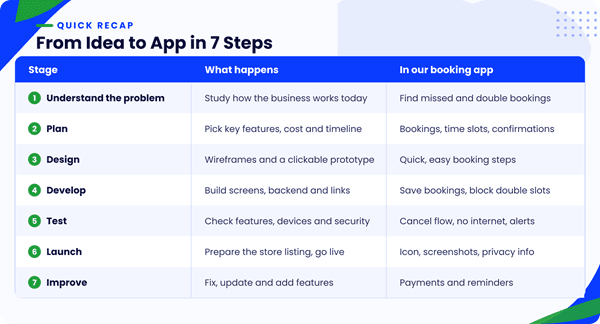
Turning an idea into an app is about much more than code. You understand the problem, plan the right features, design a simple experience, build it, test it well, and keep improving it after launch.
For businesses, the best app isn’t always the biggest one with the most features. It’s the one that starts with a clear goal and makes life easier for the people using it.
At Kenora Technologies, we believe good software starts with real needs. From mobile apps to web platforms and custom software, we build solutions that help businesses work better and grow with confidence.
Got an app idea? Start with the problem you want to solve. The right solution begins there.